
See your listing win the search results — before you change anything
Capture the real Amazon search page for your keyword, then preview your optimized listing inserted among the actual competitors — better main image, title, price, coupon, deal and Subscribe & Save.
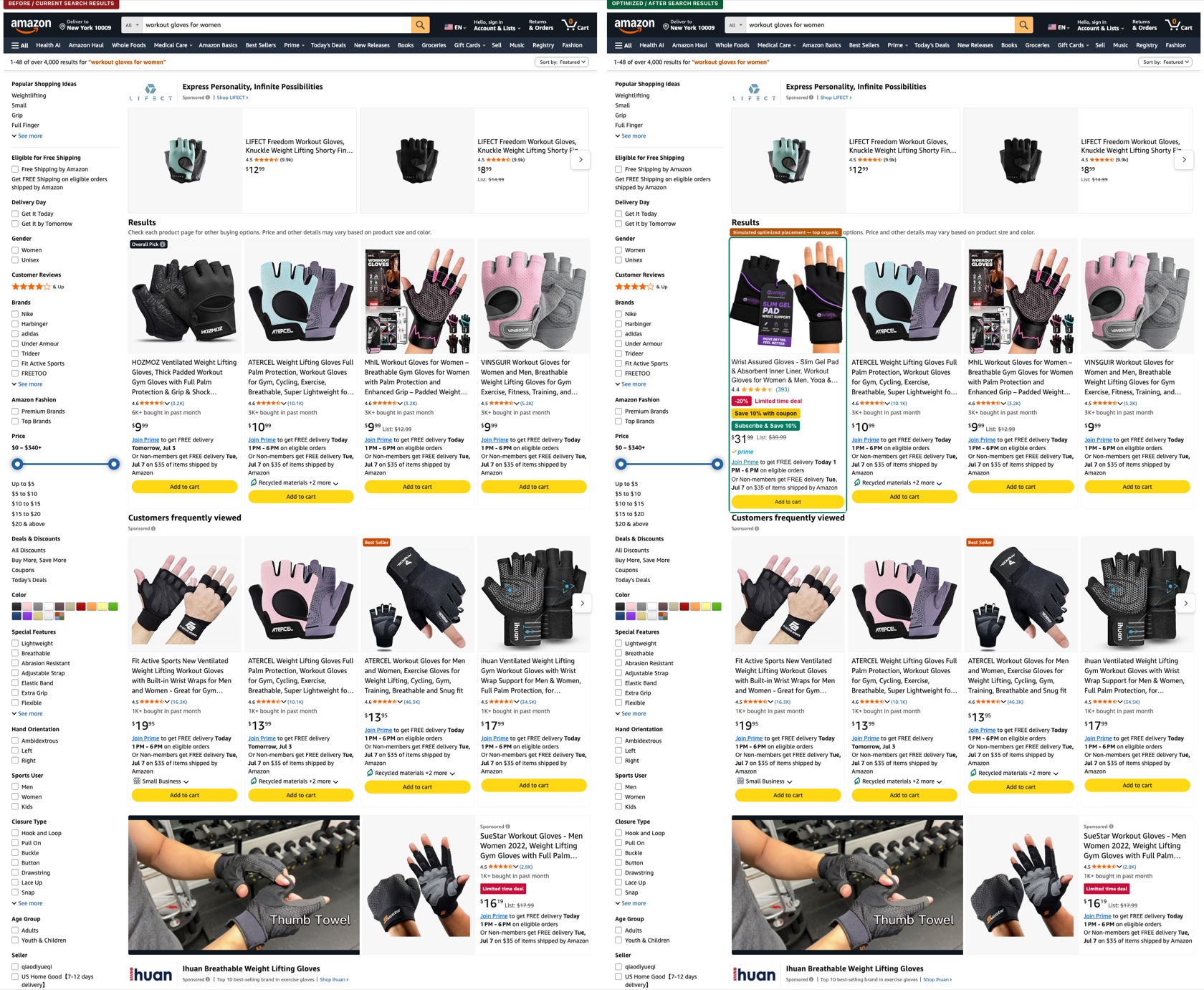
Actual ListingLab output — real captured Amazon search results (left) and the optimized simulation (right). Placement is simulated and labeled; not a ranking claim.
The search results page decides the click — and you can’t preview it
You never see how your listing actually looks NEXT TO competitors until it’s live
A better main image or coupon is invisible in a Figma file — search results are the real test
Deals, coupons and Subscribe & Save change click appeal, but there’s no way to preview them in context
Screenshots of your PDP don’t show the moment that matters most: the search results click
From keyword to side-by-side in one flow
Pick a keyword
Auto-selected from your listing — or type your own.
Capture live search
Real Amazon.com results for that keyword, ZIP 10009.
Insert optimized card
Your optimized image, title, price and badges.
Tune the offer
Coupon, deal, Subscribe & Save, Prime — live updates.
Compare & export
Side-by-side PNGs and a PDF comparison report.
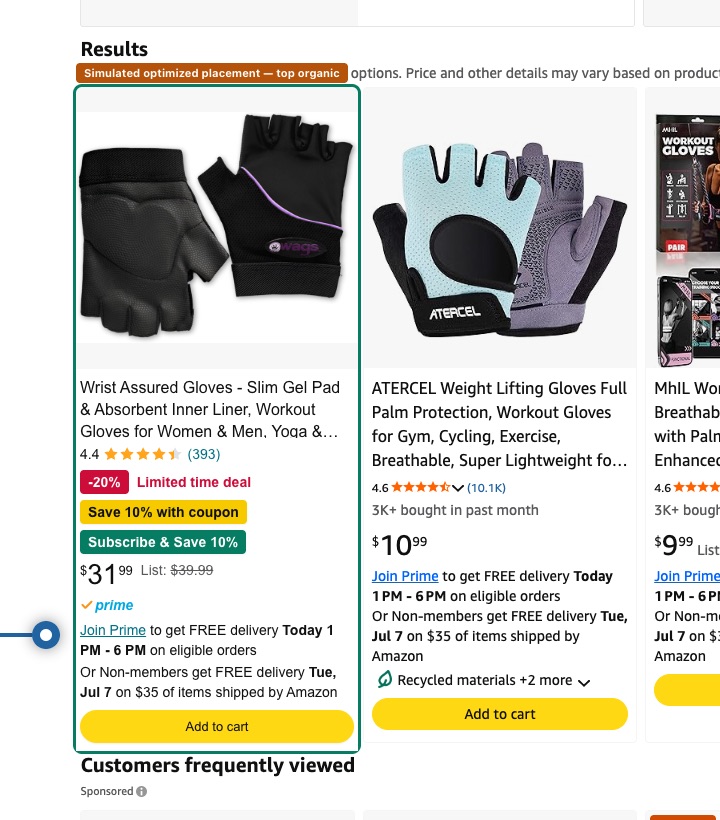
Indistinguishable from the cards around it
Your card renders at native Amazon sizing — same title type, same price weight, same delivery lines, same Add to cart.
- Red — urgencyLimited-time deal badge, -X% discount, list-price cutoff
- Yellow — coupon“Save 10% with coupon” sticker, clip-coupon style
- Green — subscriptionSubscribe & Save recurring-savings sticker
What you can do
Live search capture
Opens Amazon.com (US · ZIP 10009), searches your keyword and captures the real first results page.
Optimized card insertion
Your optimized listing card — image, title, price, badges — inserted among the real competitors.
Offer badges in context
Red limited-time deal and -X% cutoff, yellow coupon sticker, green Subscribe & Save — competitor-matching sizes.
Placement control
Same-as-current, top organic, position 3 / 5 / 10, custom, or sponsored row — always labeled as simulated.
Side-by-side comparison
Dark-red Before and dark-green After panes with synced scrolling, zoom and difference callouts.
Real exports
Before, After and side-by-side PNGs plus a PDF comparison report — rendered from the actual comparison.
Data honesty: this is an optimized visual search-result simulation. Simulated positions are always labeled “Simulated placement”; a detected position is labeled “Current detected position”. It never claims your organic rank changed.
Search Page Simulator questions
Yes — it is a live capture of the actual Amazon search results for your keyword, with the real competitors, prices, ratings and badges around your listing.
Preview your listing in real search results
Run your listing through the Simulator, then launch the Search Page Simulator from the optimization checklist.